Plan and test desktop layouts with precise 2D placement tools
Arrange a 2D grid workspace by dragging, rotating, and scaling office items to prototype desk setups. 5555xDesk, from Muhammad Saleem 1, runs on Android as a casual spatial planner. Key tools include precise scaling and rotation, an inventory check that flags unowned items, and the ability to save multiple configurations. The app fits people setting up home offices or reworking cubicles who want to test arrangements before moving furniture.
What kind of game is 5555xDesk and how does it play?
5555xDesk functions as a virtual sandbox that focuses on desktop organization rather than full-room design. The core loop is: place items on a 2D grid, adjust their size and angle, and save a layout. The app supports up to 30 office items per layout, so sessions resemble short design experiments rather than long building campaigns. Interaction is direct: drag, drop, pinch to scale, and tap to rotate.
Does it support realistic planning with equipment tracking?
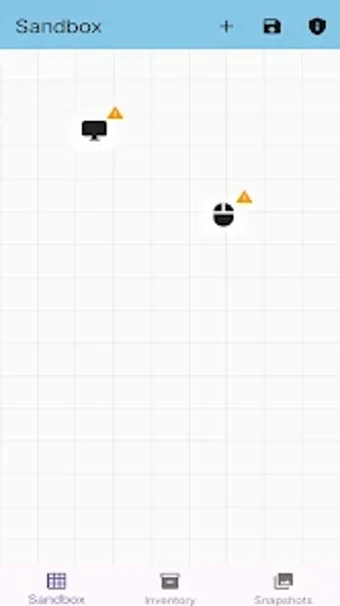
The tool includes an inventory management system that tracks owned items and issues visual warnings when you place an object not listed in inventory. That validation ties virtual plans to physical constraints, which helps avoid configurations that exceed owned assets. Users can also save up to 10 distinct layouts for side-by-side comparison, making iterative testing straightforward.
What does the interface, visuals, and audio communicate?
The visual presentation is flat and schematic, built around a clean 2D grid that highlights spacing and alignment. Icons for common office components are functional rather than decorative, and the interface surfaces controls for precise adjustments. The app runs on Android and offers focused on-screen controls for scale and rotation; no audio design is required for the planning tasks described.
How steep is the learning curve and what keeps users returning?
Learning centers on mastering precise transforms: scaling and rotation tools let you match real-world proportions, so early sessions emphasize measurement and adjustment. Saving multiple snapshots encourages experimentation across short sessions, which suits people testing different ergonomic arrangements. The inventory checks and sticky-note annotations support repeated refinement rather than open-ended play.
In summary, a practical planning tool for focused desk reconfiguration
5555xDesk is a specialised choice for users who want to prototype desk layouts with accurate scaling and item tracking. It rewards methodical testers who measure equipment and compare saved setups. Players seeking broader room design or audiovisual presentation will find the scope narrow, but those aiming to optimise a desktop footprint get a direct, measurement-driven tool.